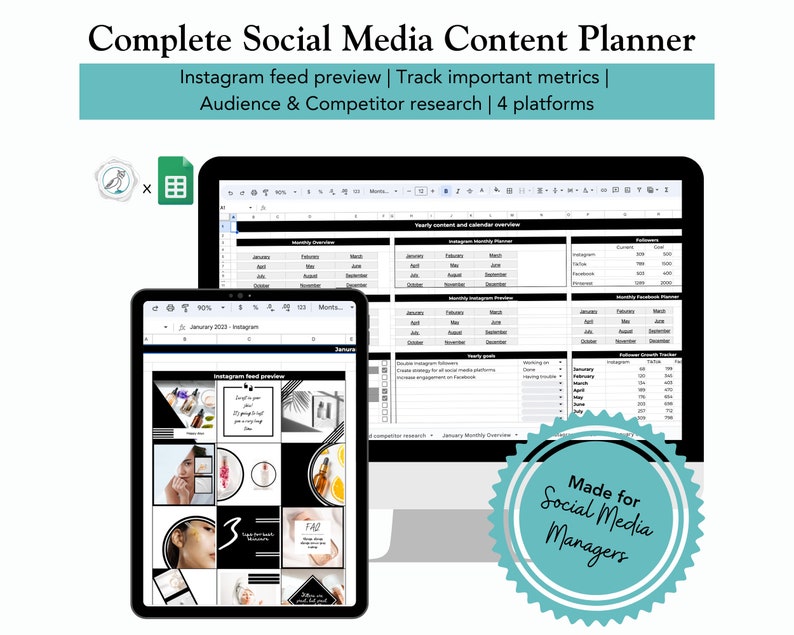
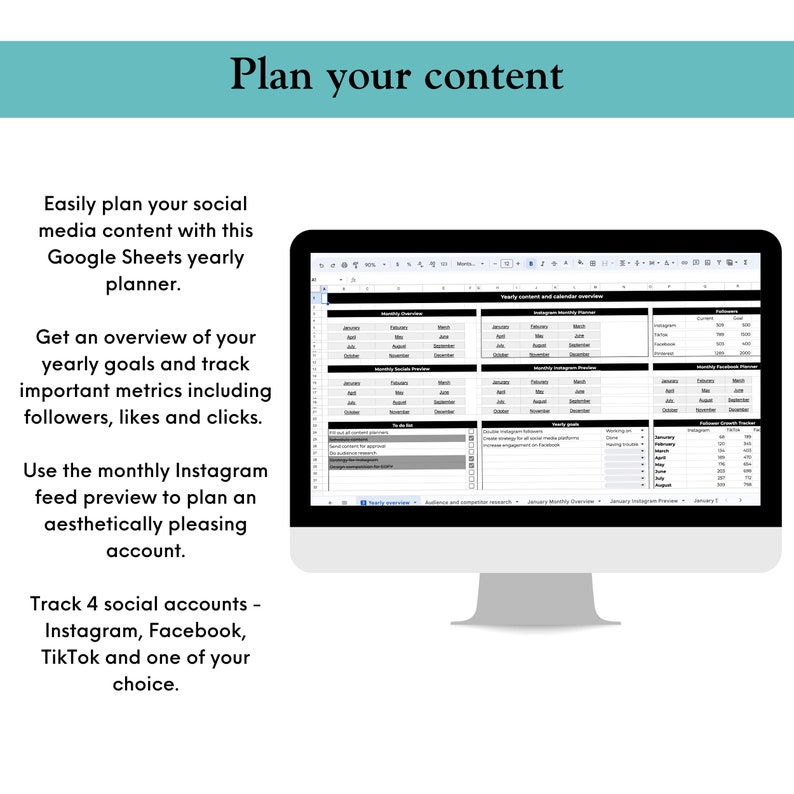
Designed to work in Google Sheets, this Complete Social Media Content Planner is all you need to track and organise your digital presence. Social media managers and freelancers will love how easy yet comprehensive it is, with features to track approvals and send them directly to clients or managers. It is also perfect for small business owners who are handling their own social media but just need some help organsing everything and planning ahead.
Platforms you can plan for:
Instagram
Facebook
TikTok
Your choice – choose to plan for Google, LinkedIn etc
Yearly overview:
Easily jump to several important sheets with navigation tabs
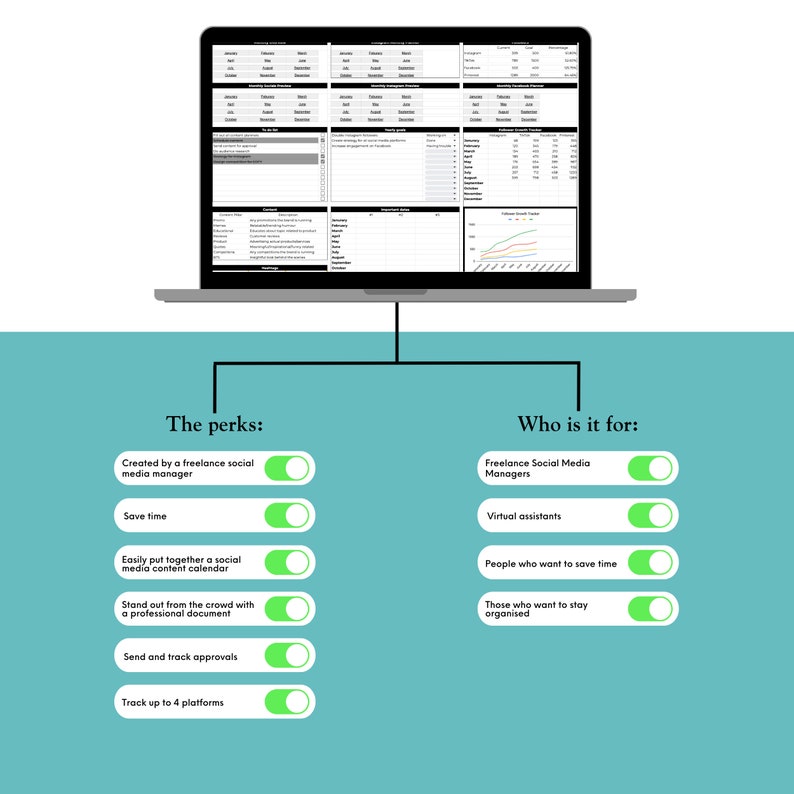
Track your follower growth
Create and monitor yearly goals to keep you motivated and on track
Track engagement rates with a follower, reach and link clicks tracker. This helps to see what content works the best at different times of the year.
Quickly note down your important dates throughout the year so you can plan ahead and not forget anything
Content pillars – I have done the basic pillars with basic definitions. Feel free to keep them or adjust them to match your goals. These are then used throughout the spreadsheet
Hashtag planner – easily note and record your best performing hashtags. I strongly recommend following the 3×3 method, hence why theyre broken into 3 tiers.
Instagram feed preview:
When you upload content into the Instagram planner, it will automatically populate on the feed preview page. This will help you to create an esthetically pleasing feed that matches your brand tone.
Social media preview:
Easily see in one place all the content going out each month. As you fill in the calendars, the image of your content will repeat on the socials tab. You can even filter by platform so if you only want to see Facebook and Instagram, you can. Its a great way to quickly see what content is going out and where you may have gaps that could be filled.
Platform planners:
Each platform planner allows you to:
Select a content type: still image, reel, story, video and carousel
Select the content pillar: promo, memes, educational, reviews, products, quotes, competitions or behind the scenes.
Draft out your captions
Plan out which hashtags you want to use for each post.
Put in a link or call to action
Status: approved, needs editing or scheduled.
Add in any notes or have a client/manager make them.
Audience and competitor research:
Track your audience research and get to know who your customers are, what they like and what problems they have so your content can begin to address them.
There are sections to record which content pillars perform best for each social media account so you can recreate the perfect content formula.
If you do competitor analysis, you can record the results of likes, followers and comments. You can also do a breakdown of their products or services, what appears to be working for them and then make a note of what you could do better.
Monthly overviews:
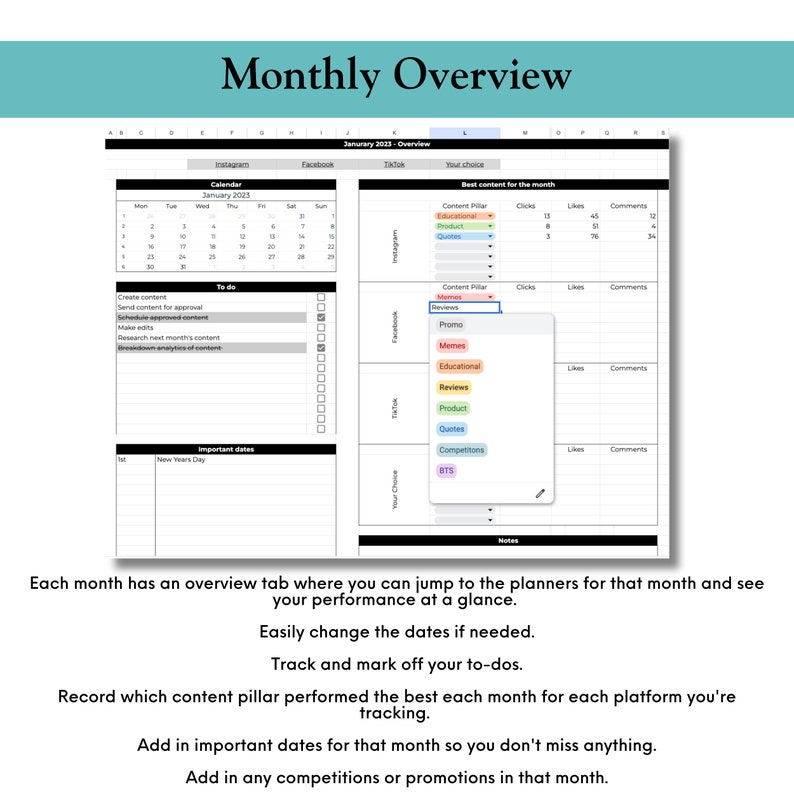
Each month has its own overview tab where you can:
See the calendar at a glance
Note down important dates for that month
Track competitions and/or promotions
Note down the best content pieces for the month so you can plan ahead to recreate your successful posts
Have a to-do list for the month
Bonus features:
Once you purchase the planner once, you can simply change the date on the monthly overview. This will automatically change the dates on all of the planner pages. The only thing youll need to update is the formula for the Instagram feed preview to reflect new dates.
Easily share the planner with clients or managers for content approval
Accessible on desktops, tablets and phones, you can edit and plan on the go
Download instructions:
– Once you make your purchase, you will immediately receive a PDF with instructions and tips to help you get the most out of your template.
– Open it up and follow the steps to open the template. Simply make a copy of the template and start using it straight away!
Download instructions:
Once you make your purchase, you will immediately receive a PDF with instructions and tips to help you get the most out of your template.
Open it up and follow the steps to open the template. Simply make a copy of the template and start using straight away!
Please note:
This is a digital download. That means you will not get a physical product.
If you need any help at all with your downloads, please contact me and Im happy to help!
Who am I?
Hi! Im Ailsa, owner and creator of CreativelyJane. I have been freelancing with social media management and content creation since 2016. Ive worn many hats including content, writing, marketing, editing and web design. After having my first baby, Ive decided to branch out and offer my knowledge to help those who are also managing social media accounts but also those who are running small businesses and may not have the budget to hire someone to take care of social media for them.
Feel free to browse my shop as Im in the process of adding new listings or follow me on social media!

Reviews
There are no reviews yet.