
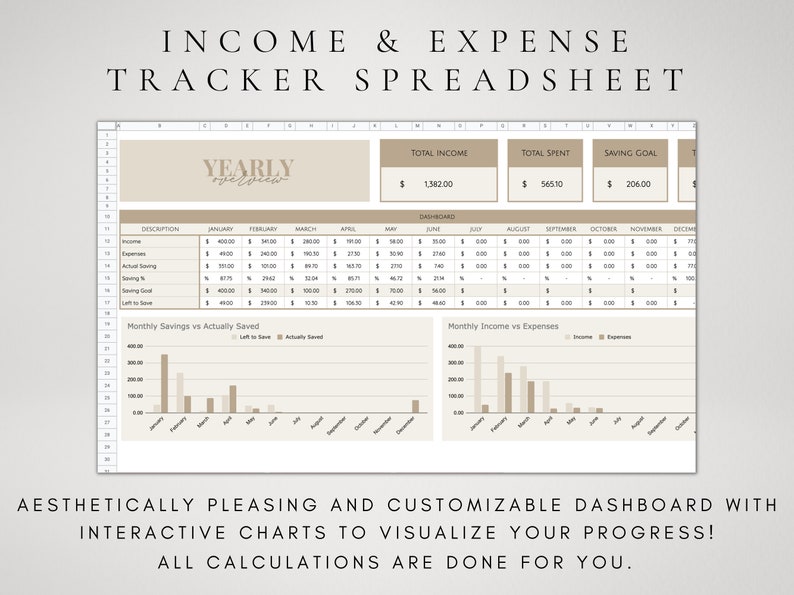

Income & Expense Tracker Spreadsheet: Google Sheets Tracker
Master your personal finances with this fully editable Income and Expense Tracker Spreadsheet for Google Sheets. This comprehensive expense tracker template provides automatic calculations, detailed overviews, and intuitive organization to help you manage your money efficiently and achieve your financial goals throughout the year.
Designed for simplicity and effectiveness, this template requires no advanced spreadsheet skills—just a free Google account. Whether you’re tracking daily spending, monitoring income streams, or planning your savings strategy, this all-in-one financial dashboard gives you complete visibility and control over your finances.
What You Receive: Complete Financial Tracking System
Google Sheets Template Includes:
- The Complete Income & Expense Dashboard: Central overview of your financial health
- Set Up & Instructions Tab: Easy start guide with clear directions
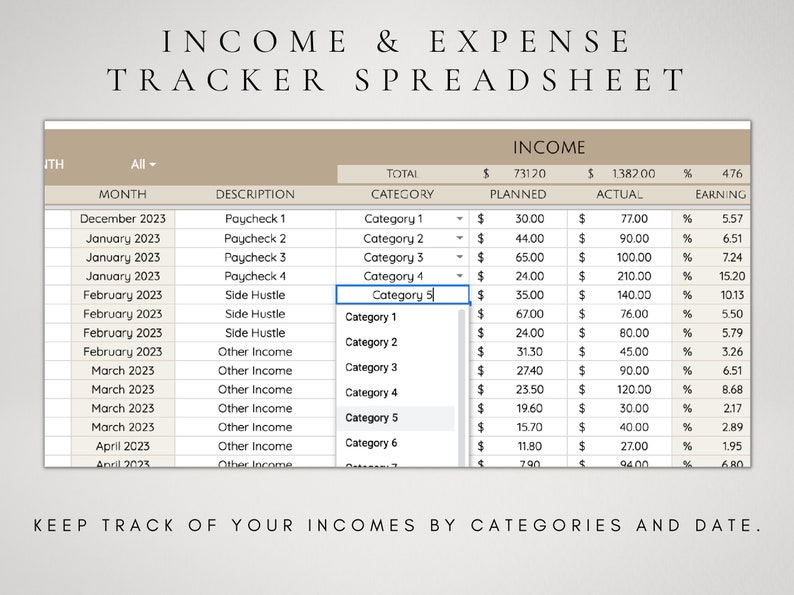
- Income Tab: Track all income sources and patterns
- Expense Tab: Detailed spending categorization and logging
- Category Overview Tab: Analyze spending by category
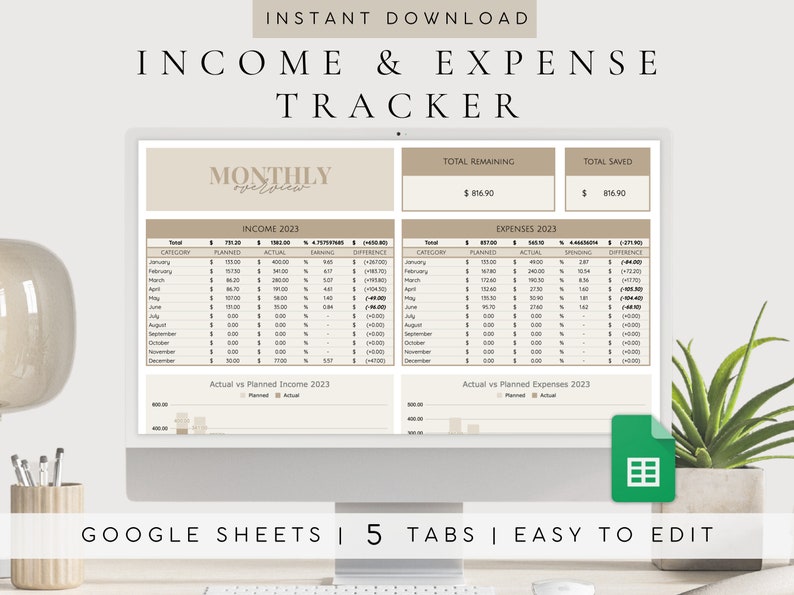
- Monthly Overview Tab: Month-by-month financial performance
- Yearly Overview Tab: Complete annual financial picture
- Automatic Calculations: Formulas that update instantly as you enter data
Bonus Gift Included
PDF Financial Planner (20 Pages): Available in 3 sizes for printing or digital use. This complementary planner helps you set goals, plan budgets, and organize your financial strategy alongside the spreadsheet.
Key Features & Benefits
Comprehensive Financial Tracking
- Income Monitoring: Track multiple income streams with automatic totals
- Expense Categorization: Organized spending tracking across custom categories
- Monthly Comparisons: See how your finances change throughout the year
- Yearly Analysis: Complete annual financial review at your fingertips
- Savings Tracking: Monitor progress toward savings goals
Automated & Time-Saving
- Instant Calculations: Formulas automatically update totals and percentages
- Visual Overviews: Clear dashboards show financial status at a glance
- Easy Data Entry: Simple forms for quick daily logging
- Automatic Categorization: Once set up, expenses sort into categories automatically
- Trend Identification: Spot spending patterns and opportunities for savings
Fully Customizable
- Edit Any Element: Change categories, colors, and layouts to fit your needs
- Reusable Template: Use year after year with simple updates
- Personal Categories: Create spending categories specific to your lifestyle
- Color Customization: Adjust colors to match your preferences (note: colors may vary slightly by monitor)
- Unlimited Editing: Modify the template as often as needed
How It Works: Simple 4-Step Process
- Purchase & Download: Add to cart and complete purchase. Download the PDF with access instructions.
- Access Your Template: Use the link in the PDF to access the Google Sheets template. Click “Make a copy” to save to your Google Drive.
- Customize & Set Up: Follow the instructions tab to personalize categories and set up your tracking system.
- Start Tracking: Begin entering your income and expenses. Watch as automatic calculations provide instant insights.
Monthly Financial Management Workflow
Daily/Weekly Routine
- Enter income as received
- Log expenses shortly after transactions occur
- Categorize spending for accurate tracking
- Check the dashboard for the current financial status
Monthly Review Process
- Review the monthly overview tab for a complete picture
- Analyze category spending to identify patterns
- Compare to previous months using the yearly overview
- Adjust next month’s spending based on insights gained
- Update savings goals and financial targets
Who This Spreadsheet Is Perfect For
Personal Finance Situations
- Individuals & Solo Budgeters: Complete control over personal finances
- Couples & Roommates: Track shared and individual expenses
- Freelancers & Gig Workers: Manage variable income and business expenses
- Students: Track limited income and essential expenses
- Recent Graduates: Establish good financial habits early
- Anyone Seeking Financial Clarity: Understand exactly where money goes
Financial Goals Supported
- Building emergency savings
- Paying off debt systematically
- Saving for specific purchases or events
- Reducing unnecessary spending
- Increasing the monthly savings rate
- Preparing for tax season with organized records
Technical Details & Requirements
Platform & Access
- Required: Free Google account
- Format: Google Sheets template (cloud-based)
- Access: Web browser or Google Sheets mobile app
- Delivery: PDF with template access link (digital download)
- Compatibility: Works on Windows, Mac, iOS, Android
Design & Usability
- Intuitive Layout: Easy navigation between tabs
- Clear Instructions: Step-by-step setup guidance
- Professional Design: Clean, organized appearance
- Mobile Friendly: Accessible via the Google Sheets app
- Color Considerations: Colors may vary slightly depending on your monitor
Comparing to Other Tracking Methods
vs. Manual Tracking (Notebook/Paper)
- Automatic Math: No calculation errors or manual totaling
- Easy Searching: Find specific transactions instantly
- Better Organization: Structured categories and time periods
- Historical Data: Easy year-over-year comparisons
- No Paper Waste: Digital and environmentally friendly
vs. Budgeting Apps
- No Monthly Fees: One-time purchase vs. subscription costs
- Complete Control: Your data stays in your Google Drive
- Customization: Adjust every aspect to your preferences
- Privacy: No third-party access to your financial information
- Offline Access: Works with Google Sheets’ offline capability
vs. Creating Your Own Spreadsheet
- Time Saved: Skip hours of design and formula creation
- Proven Structure: Based on effective financial tracking principles
- Complete Features: Includes tools you might not think to build
- Professional Results: Clean design and reliable calculations
Frequently Asked Questions
Do I need Excel or special software?
No, this template works exclusively with Google Sheets, which is completely free with any Google account. No Microsoft Office or other paid software is required.
Can I use it on my phone?
Yes! Access your expense tracker from any device with the Google Sheets app or web browser. All changes sync automatically across devices.
Is my financial data private and secure?
Your data remains in your personal Google Drive, protected by your Google account security settings. We never have access to your financial information.
What if I’ve never used a spreadsheet before?
The template is designed for beginners with clear instructions and simple data entry. The included setup guide walks you through every step.
Can I share it with my partner or family?
Yes, you can share the Google Sheet with others for collaborative tracking. Everyone can view and edit according to the permissions you set.
How often should I update the spreadsheet?
We recommend logging expenses at least weekly, though daily entry is ideal for accuracy. The monthly and yearly overviews work best with consistent updates.
What if I need help or have questions?
Reach out via message with any questions! The template includes detailed instructions, but additional support is available if needed.
Can I use it for business expenses?
While designed for personal finance, the template can be adapted for small business use by modifying categories to fit business expense types.
Getting the Most from Your Tracker
Initial Setup Tips
- Watch any included tutorial videos first
- Customize categories before entering data
- Set up recurring expenses and income sources
- Establish savings goals in the appropriate sections
- Test with sample data to understand the flow
Ongoing Best Practices
- Schedule regular financial review sessions (weekly or monthly)
- Use the category overview to identify spending patterns
- Compare monthly results to spot trends
- Update goals as your financial situation changes
- Back up important financial insights from your reviews
Bonus Financial Planner Details
The included 20-page PDF Financial Planner provides complementary tools for:
- Goal Setting: Define and track financial objectives
- Budget Planning: Monthly and yearly budget worksheets
- Debt Management: Strategies and tracking for debt reduction
- Savings Planning: Target-based savings worksheets
- Financial Reflections: Space for notes and observations
Available in three sizes for flexibility in printing or digital use.
License & Usage Terms
✅ Permitted Use: Personal financial tracking for you and your household. Customization to fit your specific needs. Unlimited editing and reuse for your personal purposes.
❌ Prohibited Use: Resale, redistribution, sharing beyond your immediate household, commercial use, or inclusion in other products for sale.
All designs are PLANconcept originals. This is a digital template file delivered via instant download. No physical product will be shipped. Editing is completed by the buyer using Google Sheets. Due to the digital nature of this product, returns or exchanges cannot be provided once downloaded.
Start Your Financial Journey Today
This Income and Expense Spreadsheet provides more than just tracking—it offers clarity, control, and confidence in your financial decisions. By understanding exactly where your money goes, you can make intentional choices that align with your goals and values.
Stop wondering where your money went and start directing where it will go. With automatic calculations, comprehensive overviews, and complete customization, you have everything needed to take charge of your finances and beyond.
Visit our main shop page for additional organization and productivity templates to complement your financial tracking system.



Reviews
There are no reviews yet.